TIL: cmd + shift + 5 is the final screenshot command
I have used Macs forever and at one point I took a lot of pride in the sheer number of keyboard shortcuts I had memorized.
cmd + shift + 3for a full-screen screenshotcmd + shift + 4for a region- press spacebar to switch to object mode (capture a window, menu, etc.)
- less useful, but shift and option change drag mode
- in both modes, hold control to capture to clipboard
Today I discovered cmd + shift + 5 which basically turns knowledge of all these shortcuts into a nice UI:
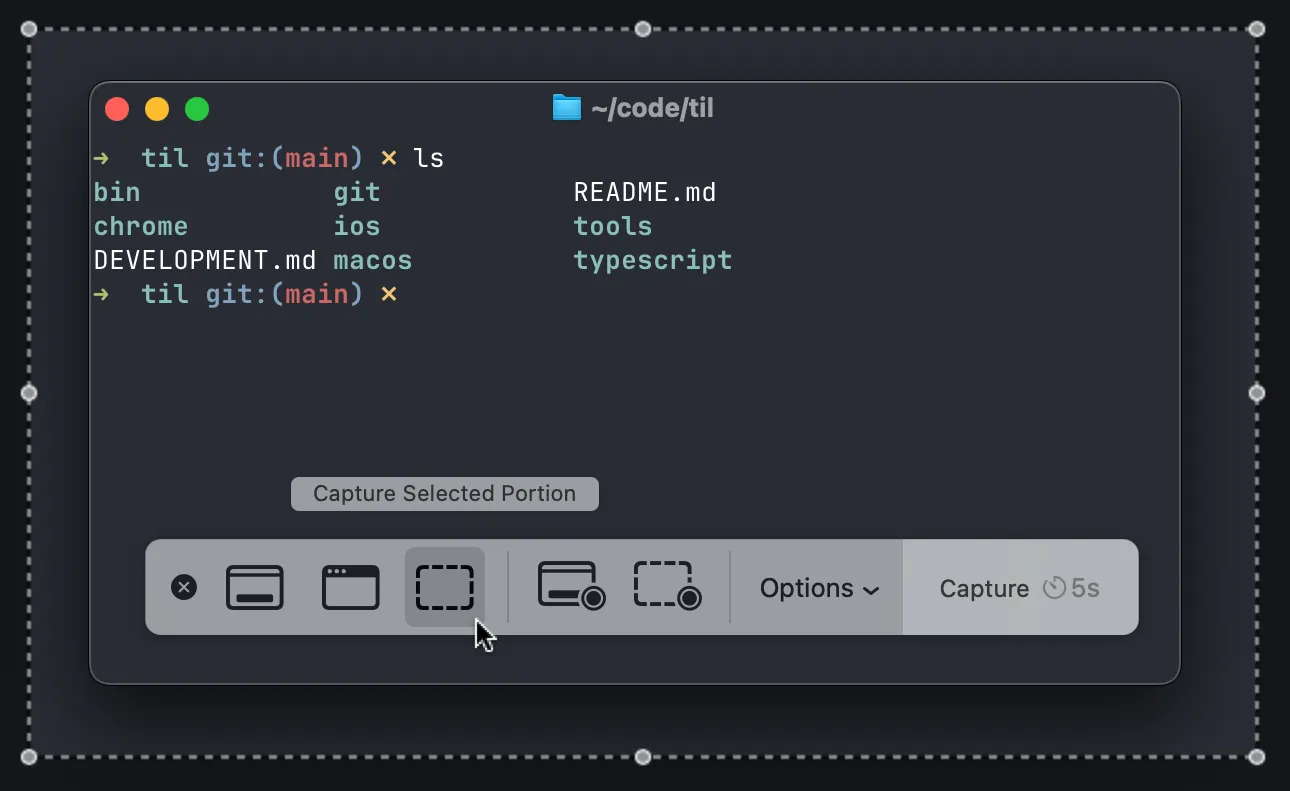
You can capture the entire screen, a region, or a UI element. The Options menu lets you choose where to save it (including the clipboard), set a timer, show or hide the cursor. You can even record a movie!
As a bonus: if you need to take a screenshot of the screenshot controls, I learned you can use the screencapture command:
screencapture -C -T10 ~/Desktop/screencapture_$(date +%s).png-C shows the cursor, -T10 gives you a 10-second delay.