TIL: Take a full-page browser screenshot
The last time I needed a full-page screenshot of a website I installed a random Chrome extension and felt slightly anxious about it. Now it turns out there’s something built-in!
- Open the developer tools (F12 or
cmd + option + I) - From the triple dot menu in the top right, select “Run Command” (
cmd + shift + P) - Type “screenshot” into the command palette and select “Capture full size screenshot”
This will save a (potentially very tall) image in your downloads folder.
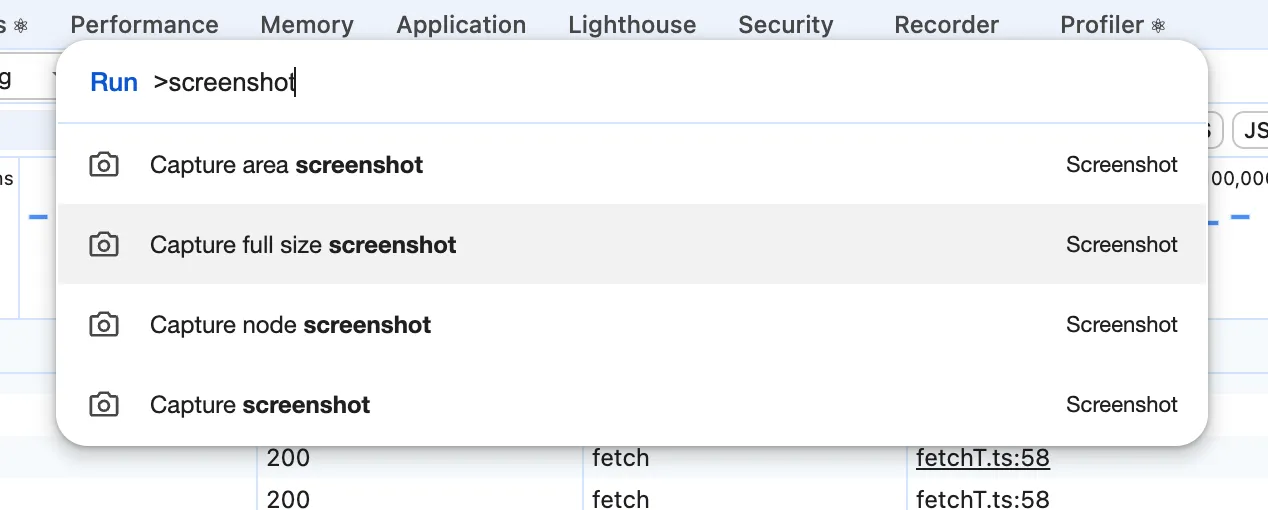
It makes me smile to think that web developer tools now have so many capabilities that a command palette is useful to navigate them. Many years ago I used Firefox 3.5 exclusively because of Firebug, an extension that provided developer tools like a JavaScript console, DOM navigation, CSS editing. It was so successful that it eventually every browser got built-in developer tools (Firebug retired in 2017). Now Chrome has dozens of tabs and tools.